Clicks@Perak is a digital initiative by the Perak State Government aimed at promoting cashless payments, empowering local communities, and digitising everyday transactions. With this app, users can make payments, shop, participate in community activities, and much more — all at their fingertips!
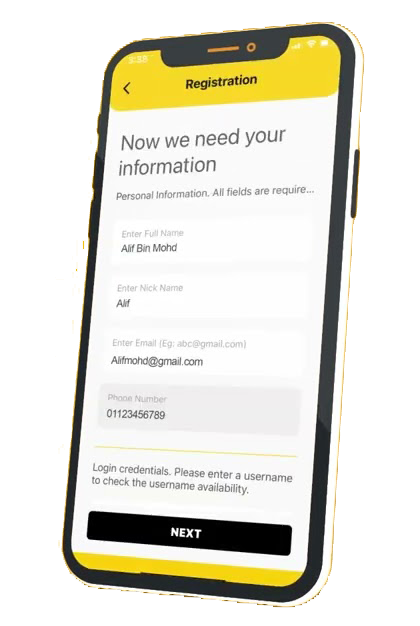
If you’re new to using the app, don’t worry. Here’s a step-by-step guide to help you register and start using it.
Step 1: Download the Clicks@Perak App
Search for “Clicks@Perak” on the Google Play Store (Android) or Apple App Store (iOS).
Tap “Download” or “Install”.
Once installation is complete, open the app.
Step 2: Register a User Account
Step 3: Log in to the App
Step 4: Explore App Features
Some key features of Clicks@Perak include:
Step 5: Top Up or Link Your E-Wallet
Step 6: Use the App Actively
Conclusion
Registering and using the Clicks@Perak app is simple and user-friendly. It not only simplifies your daily transactions but also contributes to strengthening the digital economy in Perak.
Let’s move together towards a digital and cashless state! Register now and experience the convenience.
Clicks@Perak is a platform that promotes a cashless society in Perak, providing services such as e-wallets, payment applications, payment terminals, and Mastercard/debit cards, as well as various financial assistance programs for university students in Perak. Visit Clicks@Perak for more information.